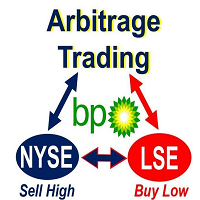


Arbitrage Trading MT4 is a professional advisor that automatically performs trading operations on the difference in quotes between a slow MT4 broker and a fast MT4 / MT5 broker (or several fast brokers). The situation when you can predict future prices for a short period of time arises when brokers have different liquidity providers, and a slow broker for a variety of reasons has a time delay in updating quotes (quotes are hanging / lagging behind) compared to a fast broker. When this happens, an arbitration trading robot can open an order on a slow broker in the direction of price movement on a fast broker and thus perform arbitrage trading.
As a slow MT4 broker, it is recommended to use standard accounts, rather than fast ECN / STP. For best results, the advisor should be placed on a VPS server as close as possible to brokers, in most cases they are located in Chicago, New York or London.
The best results can be obtained on a new, newly opened broker, where there are no clients who use arbitration. The search for actual brokers where quotes lag behind occurs is the main task of the trader, which he must do on his own.
Currently implemented:
- Connect up to 10 brokers simultaneously;
- Control of the number and duration of transactions;
- Automatic and manual alignment of quotes;
- Control of risk and maximum profit;
- Slippage plug control;
- Control of the plug-in execution of transactions;
- Control of server hangs subordinate brokers;
- The ability to set trading hours and day of the week;
- Control the speed of reading the code in the advisor;
- Accounting for backlog of quotes;
- Virtual stop loss and take profit;
- Virtual trailing stop and breakeven;
- Closing deals only when the gap of quotations returns to the normal value;
- Control of the size of the commission for the transaction, on accounts where there is a commission;
- Control the number of unprofitable orders in a row;
- Automatic lot calculation depending on the signal strength;
- Dynamic calculation of values for entry / exit from a transaction;
Installation, data analysis and trading:
- Advisor or connector is installed on the chart of the selected symbol simultaneously on several brokers on the same computer. On the lagging broker (presumably), enter the number (s) of the trading account to be connected (presumably the fast broker) in the ACCOUNT_NUMBER_1,2,3,4,5 field.
- If you have done everything correctly, the adviser will begin to accept and display various data of the current and all brokers connected to it. The data is displayed by the symbol on which the adviser itself is installed. The button in the upper right corner is used to display / hide information. The red and yellow buttons (by default) are used to reset statistics and align quotes, respectively.
- After some time, the robot will accumulate enough statistics for the trader to determine: the quotes are late or are ahead of the brokers connected to it. To facilitate this task, the prices of connected brokers in the form of lines are displayed on the chart.
- Set the criteria for opening buy and sell orders, consider the maximum / minimum deviation so that it covers the spread and commission of your broker.
- In order for the adviser to start trading it needs to allow data to be used, the parameter USE_DATA_FEED_1,2,3,4,5. Select one or several brokers depending on the analysis of the received data.

商品标签