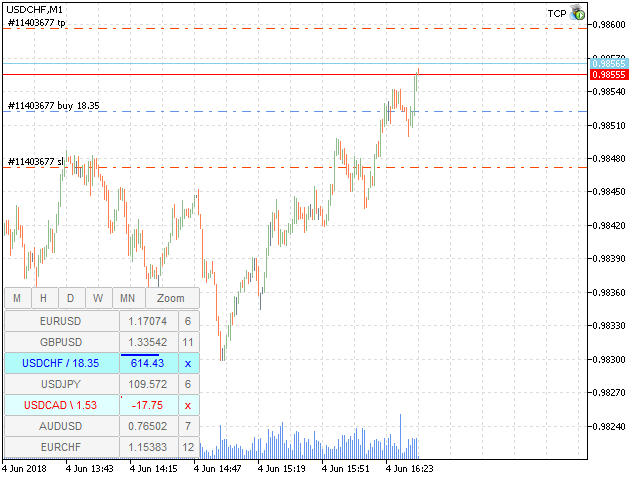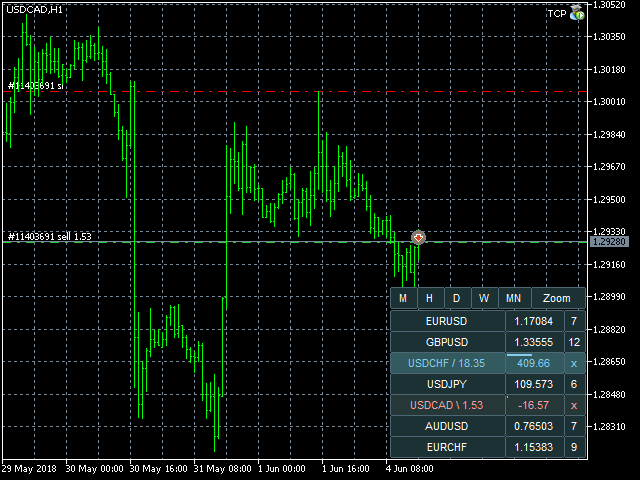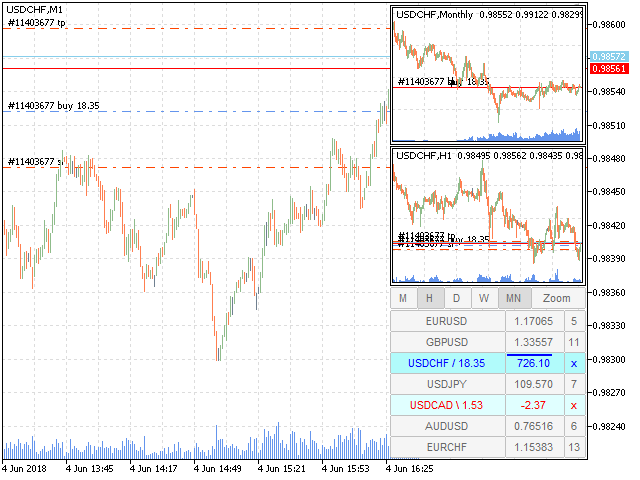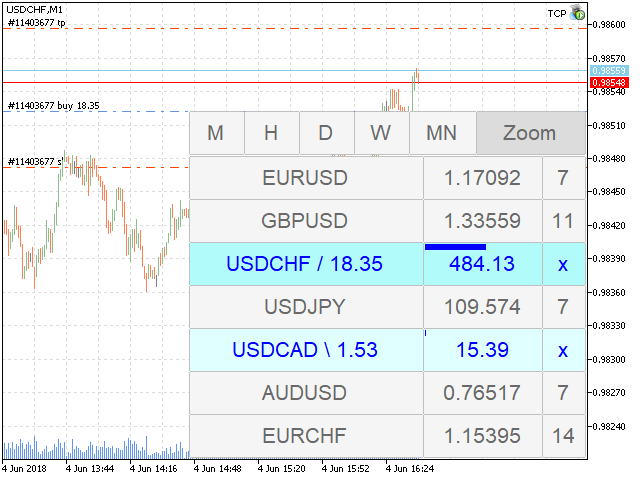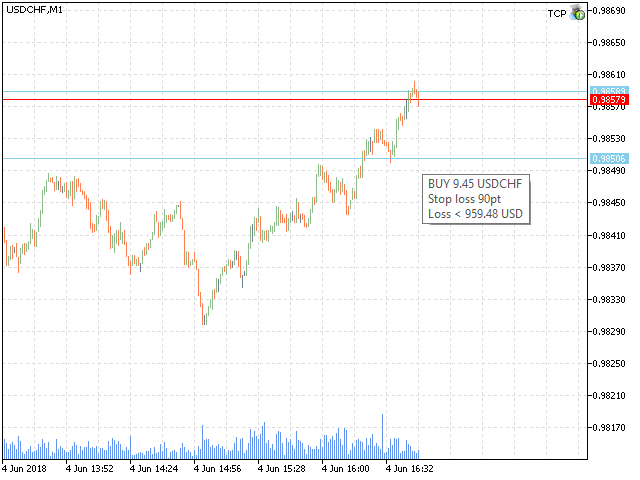


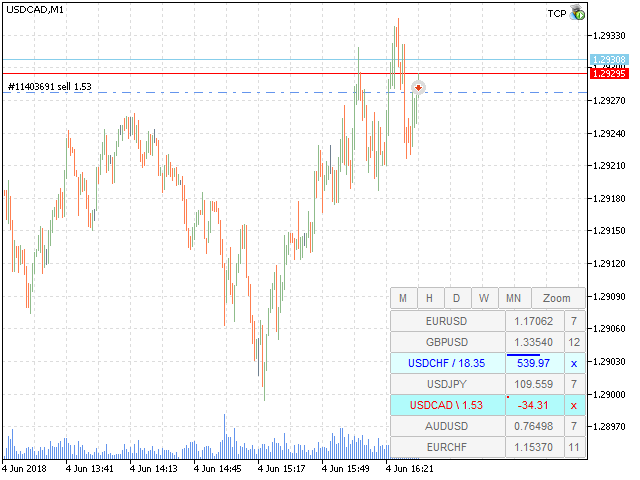
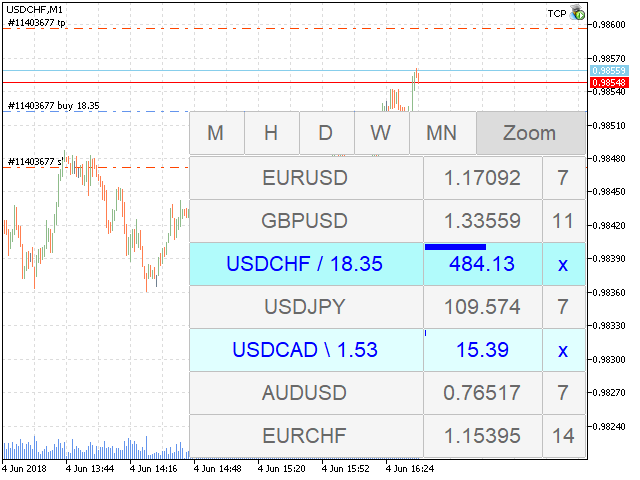
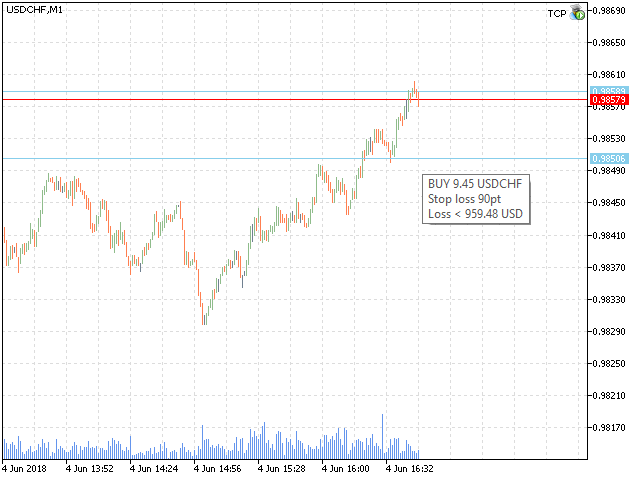
TCP - Trader Control Panel is an extension to build into MetaTrader 5 manual methods to control open positions. It adds opening and closing position feature as well as user-friendly monitoring dashboard, money and risk management when opening. Opening and closing positions are done by mouse by interactively placing stop loss line on appropriate level or by pressing predefined keys on keyboard. Before opening a new position, the EA calculates such lot size, which will guarantee you no more losses on stop loss line, than you previously set in EA's parameters. You may set this risk controlling values in % of your deposit or as a fixed money amount in deposit currency.
General TCP usage scenario
- Fill in Market Watch with symbols you want to see in Dashboard.
- Set max allowed risk for any opening position in account currency (Risk value<0) or in % of currently available balance (Risk value>0).
- Switch to symbol you want trade by clicking it in Dashboard.
- Show Minicharts for other periods to analyze price moving trend.
- Define where you want to place StopLoss if you open a position now.
- Open position by clicking price column in Dashboard and then - set StopLoss line. Or use Insert and Up/Down arrow keys for this.
- When position will reach your goal – close it by clicking “x” button or pressing Del key.
Parameters
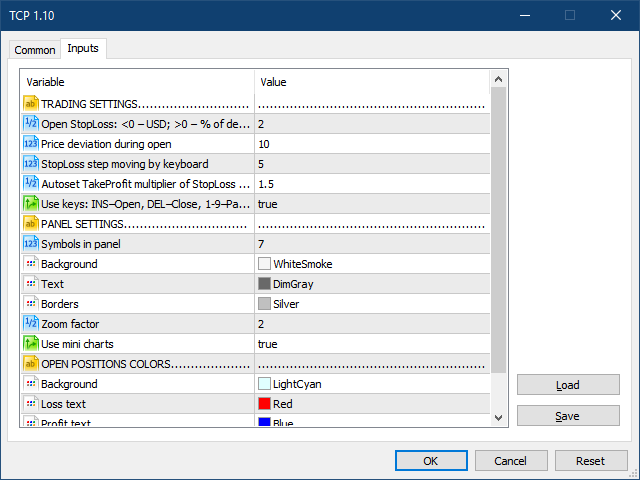
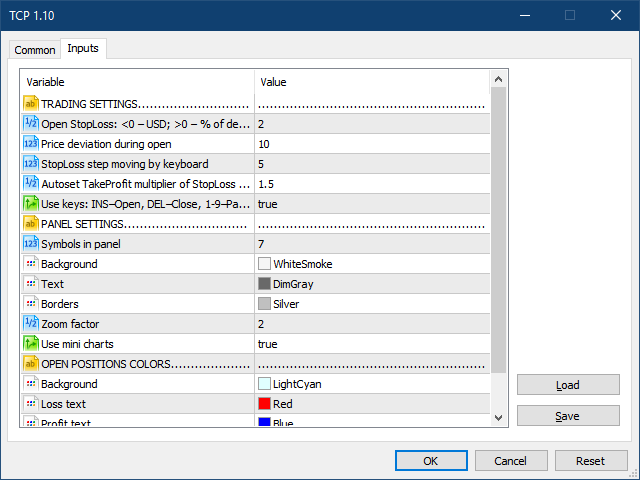
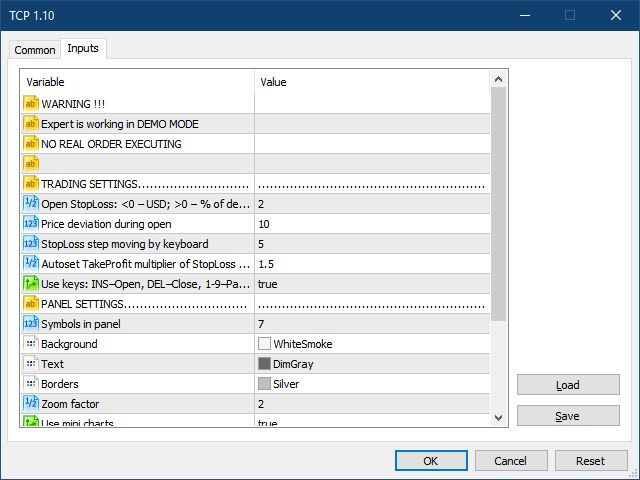
All EA parameters are grouped into three sections according to their functions:
TRADING SETTINGS
- Open StopLoss - max available risk during opening new position. If Open StopLoss > 0 – its value treated as % from balance. If Open StopLoss < 0 – money in deposit currency.
- Price deviation during open - price deviation during open.
- StopLoss step moving by keyboard - StopLoss step size in points for moving position stop loss line by keyboard (arrows Up and Down).
- Autoset TakeProfit multiplier of StopLoss Size - distance multiplier for auto setting take profit for opening a position. Set it to 0 if you want to open a position without initial take profit (you may set it later).
- Use keys - enable/disable the keyboard (INS – open, DEL – close, 1-9 – partial close).
PANEL SETTINGS
- Symbols in panel - symbols quantity (from top of the Market Watch) to be shown in TCP panel.
- Background - TCP dashboard background color.
- Text - TCP dashboard text color.
- Borders - TCP dashboard borders color.
- Zoom factor - scale to magnify dashboard in Tablet mode.
- Use mini charts - Use or not minicharts. When false , the zoom button is also hiding, but you can toggle the table mode from keyboard by pressing Z key.
OPEN POSITIONS COLORS
- Background - TCP dashboard background color.
- Loss text - TCP dashboard text color for position with profit < 0.
- Profit text - TCP dashboard text color for position with profit > 0.
- Protected profit bar - TCP dashboard text color for position with protected profit > 0.
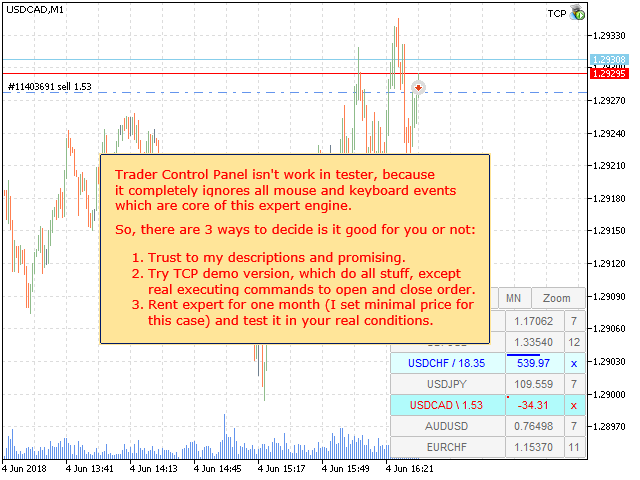
Warning: Trader Control Panel does not work in the tester because it completely ignores all mouse and keyboard events which are core of this expert engine.
So, there are three ways to decide if is it good for you or not:
- Trust my descriptions and promising.
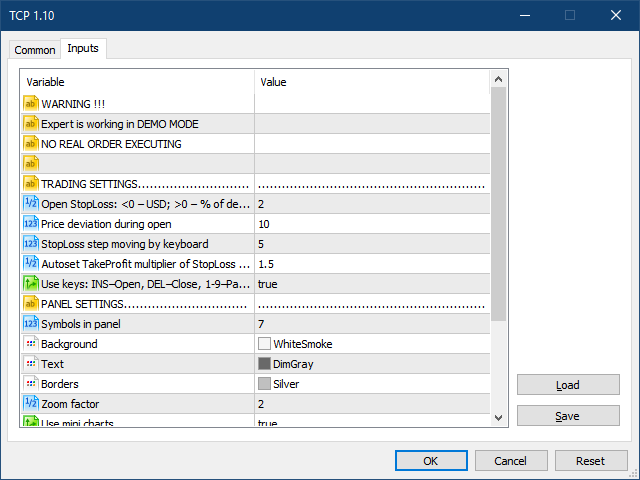
- Try TCP demo version , which does all stuff, except real executing commands to open and close order.
- Rent the EA for one month (I set minimal price for this case) and test it in your real conditions.



商品标签