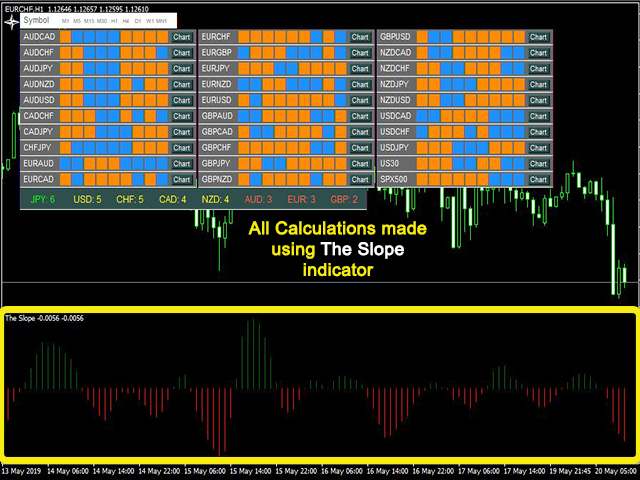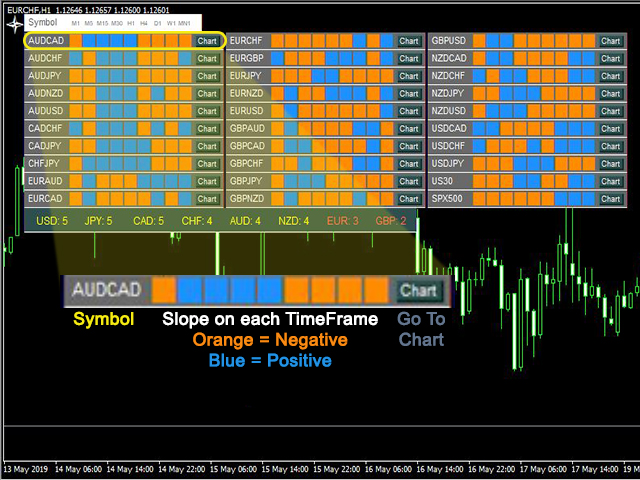


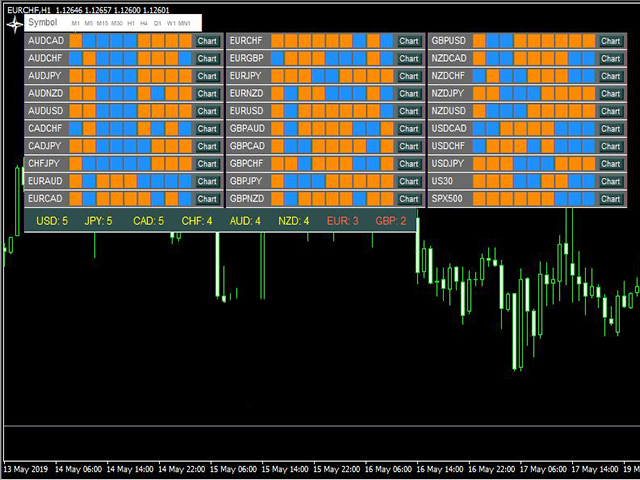
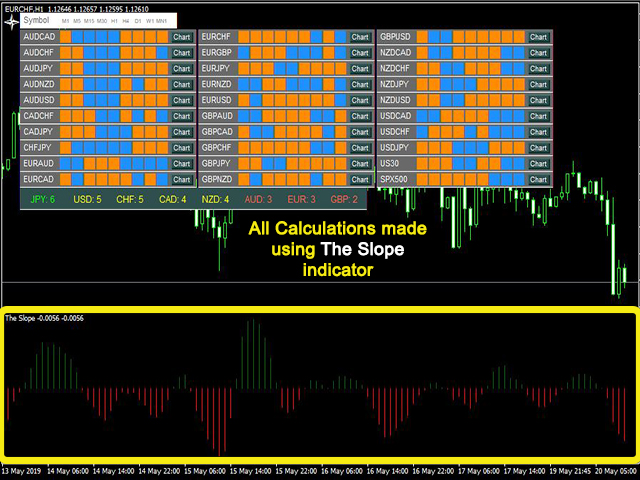
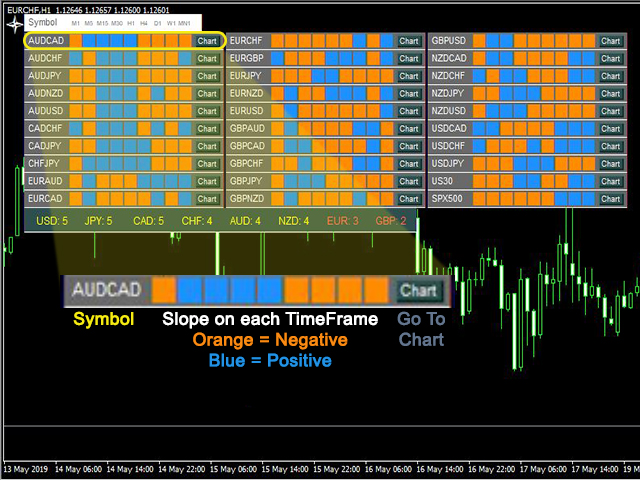
The Slope Scanner is a Multi-Currency, Multi-Timeframe scanner of The Slope indicator. It calculates the slope of the price, and displays its direction for each symbol and each timeframe on a display board.
Check Video Below For Live Trading Demonstration.
► Get a 7-Day Free Trial Version: Click Here (Full Access to The Indicator for 7 Days)
Key Features:
- Allows you to see Multiple Murrency signals from one chart
- Calculates the slope of the Pair on All Timeframes
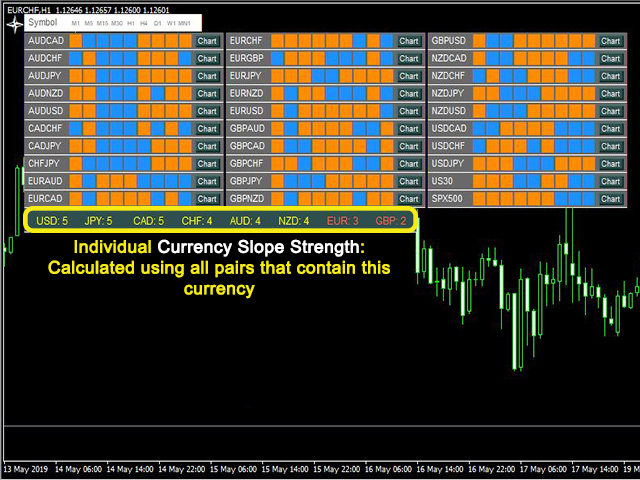
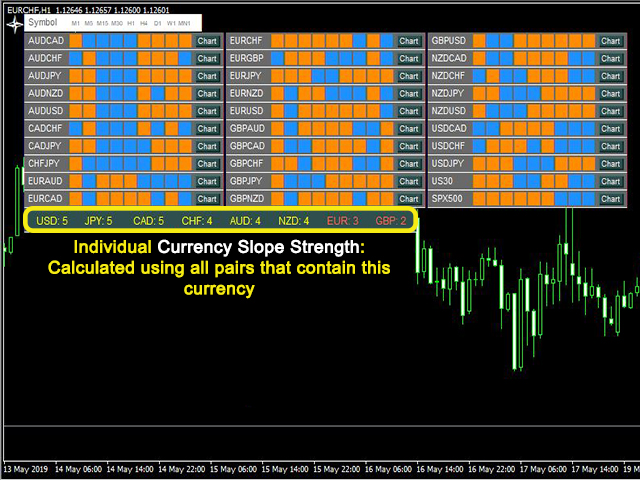
- Get a Currency Slope Strength score for individual currencies (ex: USD, EUR, JPY...) from compounded timeframe slopes
- Choose Different Slope Calculation Periods
You could load The Slope Scanner onto a single chart, and be able to see the slope direction across all selected currencies and timeframes.
You could get a lot of information with a single glance, and decide which symbols you want to trade.
IN ORDER TO REDUCE THE WORKLOAD OF THE INDICATOR, IT IS VERY IMPORTANT TO GO TO TOOLS>OPTIONS>CHARTS AND REDUCE THE "MAX BARS IN CHART" NUMBER. I RECOMMEND SETTING IT AROUND 1500-2500.
Settings:
CalculationPeriod : The number of bars used to calculated the slope (for example, if CalculationPeriod = 10, The Slope will calculate the slope of the last 10 bars).
extraSymbols: The main 28 pairs included in the indicator are:
EURUSD AUDUSD USDJPY USDCHF USDCAD EURAUD EURCAD GBPUSD EURCHF EURGBP EURJPY GBPJPY GBPCHF NZDUSD AUDCAD AUDJPY CHFJPY AUDNZD NZDJPY NZDCAD NZDCHF GBPNZD EURNZD GBPCAD GBPAUD AUDCHF CADCHF CADJPY
You could also add more symbols by adding them in the " extraSymbols " input, seperated by commas. By default, the symbols "us30,spx500" are added, but you could add more symbols to them, replace them with other symbols, or delete all extra symbols.PairsPerColumn: Sets the number of rows per column of the main dashboard.VerticalShift: Set a vertical shift in pixel of the main dashboard.HorizontalShift: Set a horizontal shift in pixel of the main dashboard.
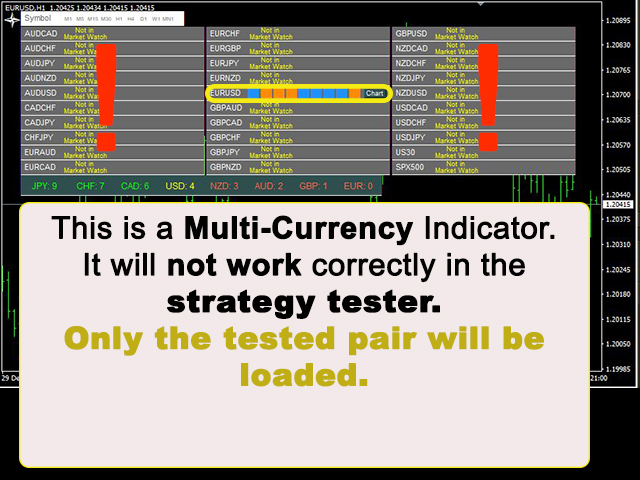
Interactive Features: (Notice that these features don't work if you are offline, or if the market is closed)
- To move the dashboard, you could either set shifts in the input settings, or you could double click the white cross on the top left corner of the dashboard, and move it to where you want the dashboard to be. (There might be a delay before the whole dashboard moves because it is redrawn once there is a new tick)
- You could highlight a symbol you want to follow simply by clicking on it
- You could go directly to the desired currency chart, by click on the "Chart" button
►Write an honest review of the indicator
► and send me a proof of purchase to admin@nelhajj.com
► and get a free MA Scanner a multi-currency multi-timeframe dashboard scanner of moving averages
Watch my live trading videos here:
Youtube Channel: nelhajj trading
商品标签