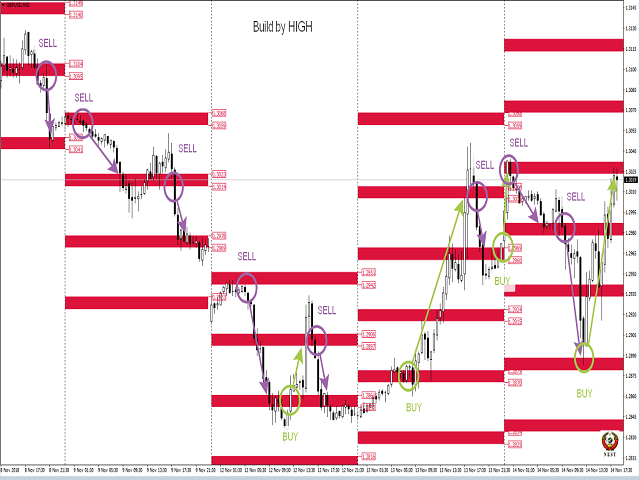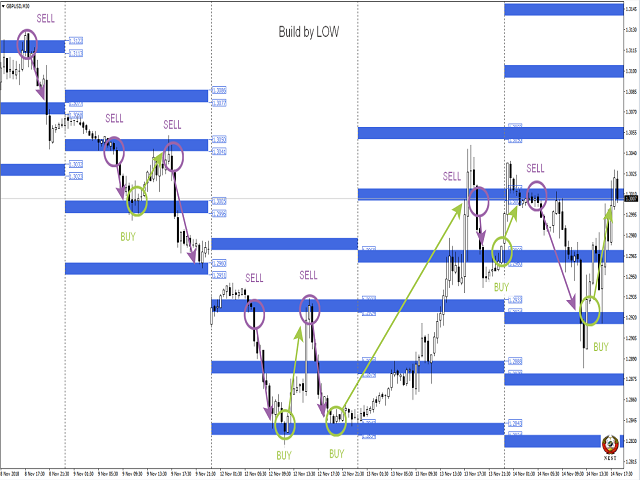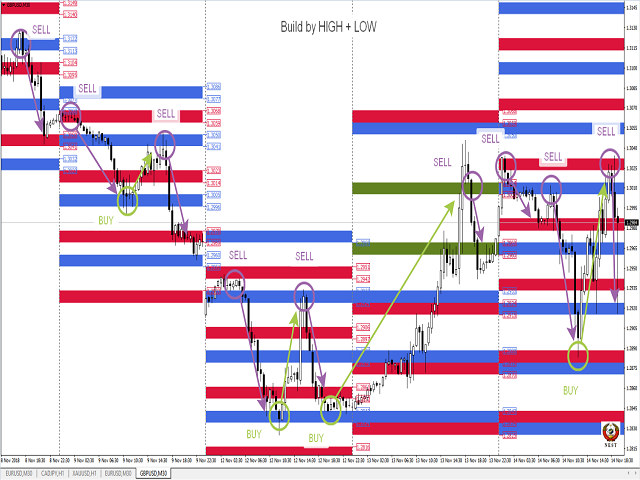


This version of the indicator Floating Nest works only in the tester, on demo accounts and on real accounts on the USDCHF pair.
1. What is Floating Nest?
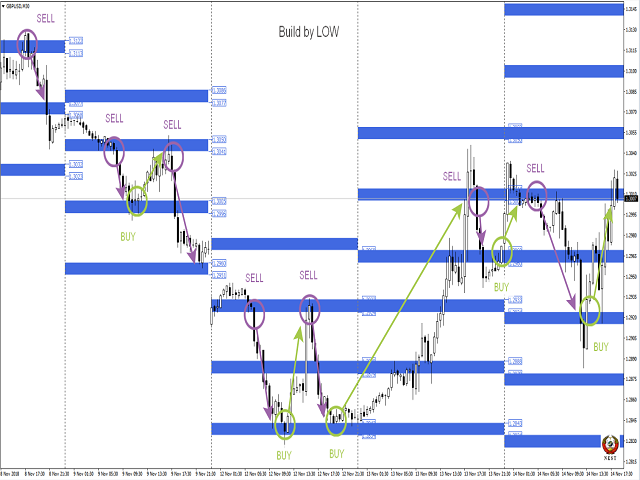
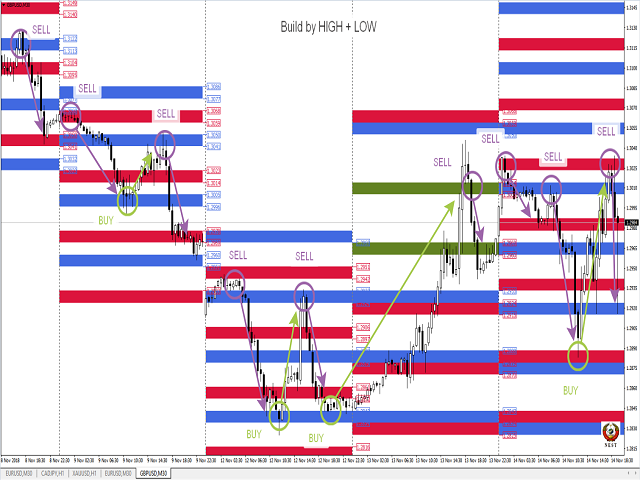
This indicator is designed to automate the construction of decision zones (can act as support-resistance levels) according to the Floating Socket strategy.
The same indicator allows you to significantly reduce the time when analyzing the behavior of prices in decision areas on historical data.
It works on any currency pairs. Time frame: M1-H1.
The NEST trading system (Nest) is notable for its simplicity and efficiency when trading currencies, stocks, indices, metals, commodities and cryptocurrencies on the stock exchange markets.
When you first start the calculation of the indicator takes time. If after installing the indicator on the chart, zones and arrows are not displayed, then remove the indicator from the chart and set it again.
When installed on a chart with a working TF, the indicator for better visualization disables the grid, includes period separators, autoscrolling and offset.If the price arrives in the nest zone, open an order in the opposite direction to the next zone of the same calculation method (differ in color). Sometimes zones "stick together" and we see one zone instead of two. In this case, keep the order to the nearest zone. Stop order is postponed on the opposite side of the zone.
2. Trading tactics
In the case of fixing the price for the zone of the socket relative to its movement, we open an order by the trend to the next zone of the socket. Stop order is postponed on the opposite side of the zone.
Full description of the trading strategy - YouTube ; TelegramAll parameters are set in points for 4-digit quotes (the indicator recounts on 5 characters independently) !!!
3. Input parameters.
- Select message language: Select message language
- Indicator number: Number of the indicator copy (to be able to install multiple copies of the indicator on the chart. If the number is greater than 0, the logo is not drawn)
- ShowInfo : Display of the Info Panel power button
- ShowSettings : Display of the settings panel power button
- GMT: GMT-offset of your broker.
- Number of history days: The number of days to display historical data (only works when the mode of calculating the distance between zones is fixed)
- Level size: zone size
- Number of levels: Number of levels displayed
- Coefficient of calculation: Calculation ratio (cannot be less than 1)
Calculating Distance (block for calculating the distance between zones)
- DD: Calculation Option
- Fixing Distance: Fixed distance between zones
- Dinamic Distance: Dynamic calculation (the distance between the zones is calculated based on the price movement over the past few days)
- Day of Dinamic Distance: Number of days for dynamic calculation
- Fixing Distance: Distance between zones
- Operation mode: Indicator mode
- Indicator: indicator mode
- Prognoz: forecast mode (only in fixed calculation mode)
Recommended entry points
- EntryPoint : signal strength selection
- Distance to Arrows : distance from the candle to the arrow
Drawing Blok (drawing parameter block)
- Calculation by HIGH: 1st version of calculation
- Calculation by LOW: 2nd version of calculation
- Closing price of the USA session: To display or not the closing level of the US session on the previous day
- Opening price of the Europe session: To display or not the opening level of the European session
- Draw lines: Draw or not lines on a chart
- Draw labels: Whether or not to show price labels of zones (when lines are on, they are not displayed)
- Clear graphics from unnecessary zones: To remove or not from the schedule the levels of previous days that have not been worked out by the price
- Create Screenshots: Make or not a screenshot of the graph at the beginning of the day (screenshots are saved in the \ MQL4 \ Files folder of your terminal)
Alerts (block signals)
- Alert Period: The frequency of issuing signals
- Current: By the bar lifetime at the current TF
- 1 Hour: By the bar lifetime on TF H1
- Distance to the zone in points: Select the distance in points from the price to the zone
- Alerts Start Local Time: The start time of the signals
- Alerts Stop Local Time: Signal End Time
- Sound signal: Beep
- Message on the screen: Alert to the screen
- Mobile message: push message to phone
- Message to e-mail: Email notification
商品标签